
Introduction
If you are a freelancer, agency owner, or SaaS founder running a global business, you likely know the specific pain of “The Vanishing Paycheck.” You invoice a client for $1,000, they pay $1,000, but by the time the money lands in your local bank account, you are left with $920.
Where did that $80 go? It vanished into the opaque world of international client payment processing consumed by hidden spread markups, cross border surcharges, and “landing fees.”
In 2026, the digital economy is more borderless than ever, yet the financial rails powering it are still catching up. For a US based developer working with a German client, or a UK agency retaining Australian customers, choosing the wrong payment processor isn’t just a minor inconvenience; it is a 5% to 8% tax on your gross revenue.
Financial Disclaimer
This article is provided for educational and informational purposes only and does not constitute financial, legal, or tax advice. Fees, regulations, and platform policies may change over time. Always verify current pricing and consult a qualified professional before making financial or business decisions.

This guide is not just a list of features. It is a deep dive into international client payment processing, comparing the three giants that dominate the space: Stripe, PayPal, and Wise Business. We break down their real fee structures, expose hidden FX (foreign exchange) costs, and show exactly which platform protects your bottom line when working with international clients.
Who This Guide Is For:
- Freelancers & Consultants handling high ticket invoices ($1k–$10k+).
- Digital Agencies managing monthly retainers from global clients.
- SaaS Founders needing automated recurring billing.1
- E-commerce Owners shipping cross border.
What Is International Client Payment Processing?
Before we compare platforms, we must understand the “plumbing” of global finance. International client payment processing refers to the mechanism of moving funds from a payer in Country A (Currency A) to a recipient in Country B (Currency B).
This process is significantly more complex than domestic transfers because it involves three distinct layers of cost and friction:

1. The Payment Gateway (The Interface)
This is the software your client interacts with (e.g., the “Pay Now” button). It captures sensitive credit card data, encrypts it, and sends it to the processor. Stripe and PayPal are primarily gateways.
2. The Payment Rails (The Highway)
How does the money actually move?
- Card Networks: Visa/Mastercard networks are fast but expensive. They charge “Interchange fees” which increase for cross border transactions.
- SWIFT Network: The traditional banking method. It is slow (1-5 days), expensive ($15-$50 wire fees), and involves “correspondent banks” that take cuts along the way.
- Local Clearing Systems: These are domestic networks like ACH (USA), SEPA (Europe), or Faster Payments (UK).2 They are cheap and fast but usually don’t talk to each other directly.
3. The FX Layer (The Conversion)
This is where the “hidden fees” live. When a client pays in Euros and you receive US Dollars, a conversion happens.3 The “Real” rate is the Mid Market Rate (what you see on Google). However, most processors add a Spread, a markup of 2% to 4% on top of the rate which acts as a hidden commission.
Key Factors to Compare in International Client Payment Processing Platforms
To make an educated choice, you must evaluate platforms based on five non negotiable metrics.
1. Transaction Fees & FX Markups
Do not just look at the “per transaction” fee (e.g., 2.9%). You must calculate the Total Cost of Ownership (TCO), which includes:
- Fixed fees (per transaction).
- Percentage fees (volume based).4
- Currency conversion fees (often hidden).5
- Payout fees (to move money to your bank).
2. Supported Countries & Currencies
Can your client pay in their native currency?
- Conversion Rate Psychology: A client in Berlin is more likely to buy if they see a price in € (Euros) rather than $ (USD). They don’t want to calculate the exchange rate themselves or pay their bank’s foreign transaction fee.
- Settlement: Can you hold that currency, or are you forced to convert it immediately?
3. Payment Methods (Cards vs. Bank Transfers)
- Cards: High friction for large amounts (limits), high fees, but great for consumer impulse buys.
- Bank Transfers: Low fees, slower setup, better for B2B contracts.
- Digital Wallets: Apple Pay/Google Pay are becoming essential for mobile conversion.
4. Settlement Speed & Cash Flow
How long until the funds are spendable?
- Stripe: 2–7 business days (rolling).
- PayPal: Instant access (in PayPal wallet), 1–3 days to bank.
- Wise: Instant to 2 days (depending on the rail).
5. Chargebacks, Disputes & Refunds
International disputes are a nightmare. If a client in France disputes a charge from a US freelancer, who wins?
- Card payments (Stripe/PayPal) favor the buyer significantly.
- Bank transfers (Wise) are much harder to reverse, offering better protection for the service provider.
Stripe for International Client Payment Processing (Deep Dive)
Stripe has positioned itself as the developer first standard for the internet economy and a powerful tool for international client payment processing. It is not just a payment processor; it is a programmable financial infrastructure.
What Stripe Is Best For
Stripe is the undisputed king of SaaS (Software as a Service) and E-commerce. If you need to charge a card automatically every month (recurring billing) or split payments between marketplace sellers (Stripe Connect), there is no better option.
👉 This setup is especially useful when your payment terms, refunds, and billing cycles are clearly defined in advance. If you work with overseas clients, make sure your agreements align with how card payments and disputes are handled. You can review best practices in our guide on remote work contracts for international clients.
Supported Countries & Currencies
Stripe is available for businesses in 47+ countries and allows you to accept payments in 135+ currencies.
- Feature: Adaptive Pricing. Stripe can automatically show the price in the customer’s local currency based on their IP address.
Stripe International Fees Explained (2026)
Stripe’s fees are transparent but tiered.6 As of 2026, here is the breakdown for a US based business receiving an international card payment:
- Domestic Card Fee: 2.9% + $0.30.7
- International Card Surcharge: +1.5% (bringing the base fee to 4.4%).8
- Currency Conversion Fee: +1.0% (if currency requires conversion).
- Total Fee: You are effectively paying 5.4% + $0.30 on every transaction.
Source: Stripe Pricing Page (2025/2026 Standard Pricing) Stripe Pricing
FX Conversion & Hidden Costs
While Stripe charges a 1% conversion fee, they generally use a decent exchange rate close to the mid market rate. However, that 1% is a hard cost.
- Workaround: If you open a Stripe account in the UK (using a UK entity), you can receive GBP directly without conversion. But for most solopreneurs, you are stuck with the conversion fee.
Chargebacks & Risk Management
Stripe’s Radar is an advanced fraud detection tool that uses machine learning to block suspicious international transactions. This is crucial because cross border fraud is rampant. However, if a legitimate client disputes a charge, Stripe charges a $15 dispute fee (refundable if you win, but you rarely win).
Stripe Pros and Cons
| Pros | Cons |
| Best in class UI/UX: High conversion checkout. | Expensive: ~5.4% fees on international cards. |
| Automation: Perfect for subscriptions/SaaS. | Strict Risk Algo: Sudden account bans are common. |
| Integrations: Connects to Xero, Slack, Zapier. | Holding Period: 7-day rolling payouts for new accounts. |
PayPal for International Client Payment Processing (Deep Dive)
PayPal is the “legacy” giant. It was the first to make email based payments possible and remains a massive force due to brand recognition.
Why PayPal Is Still Popular Globally
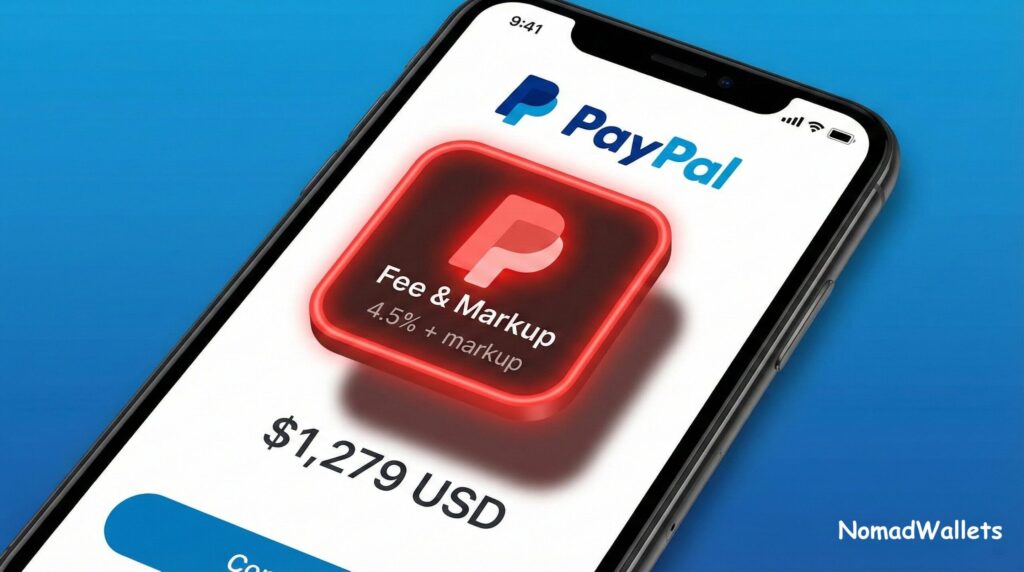
Trust. If you are a new agency with no reputation, a client might hesitate to enter their credit card on your website. They will, however, feel comfortable clicking a PayPal button because they know their financial info is hidden from you.
PayPal International Transaction Fees
PayPal’s fee structure is complex and often criticized for being expensive.
- Standard Transaction: ~3.49% + fixed fee (Domestic).
- Cross Border Fee: +1.5% (variable by region).9
- Currency Conversion: 3.0% to 4.0% spread.
Source: PayPal Merchant Fees 2025 Tipalti Analysis
Currency Conversion Markups: The “Hidden Tax”
This is where PayPal makes its money. If a client sends you £1,000 and your account is in USD, PayPal does not charge a separate “fee” line item for conversion. Instead, they give you an exchange rate that is 3-4% worse than the market rate.10
- Example: Market rate is 1 GBP = 1.30 USD. PayPal might give you 1 GBP = 1.25 USD. On a £1,000 invoice, you just lost $50 purely on the exchange rate, plus the transaction fees.
PayPal Account Holds & Limitations
PayPal is notorious for freezing funds. Their risk algorithms are aggressive. If you suddenly receive a $5,000 payment from a new international client, PayPal may hold that money for 21 days to ensure there are no disputes. This can kill cash flow for small businesses.
PayPal Pros and Cons
| Pros | Cons |
| Universal Trust: Everyone has an account. | Exorbitant Fees: Can reach 8-9% total cost. |
| Ease of Use: No coding required, just send a link. | Hidden FX Spread: 3-4% lost on currency conversion. |
| Instant Access: Spend funds immediately via PayPal Debit. | Account Freezes: 180-day fund holds are real risks. |
Wise Business for International Client Payment Processing (Deep Dive)
Wise (formerly TransferWise) was built specifically to solve the problem of high international fees.11 It is not a “payment gateway” in the same sense as Stripe (processing cards), but rather a modern banking alternative.
How Wise Business Works
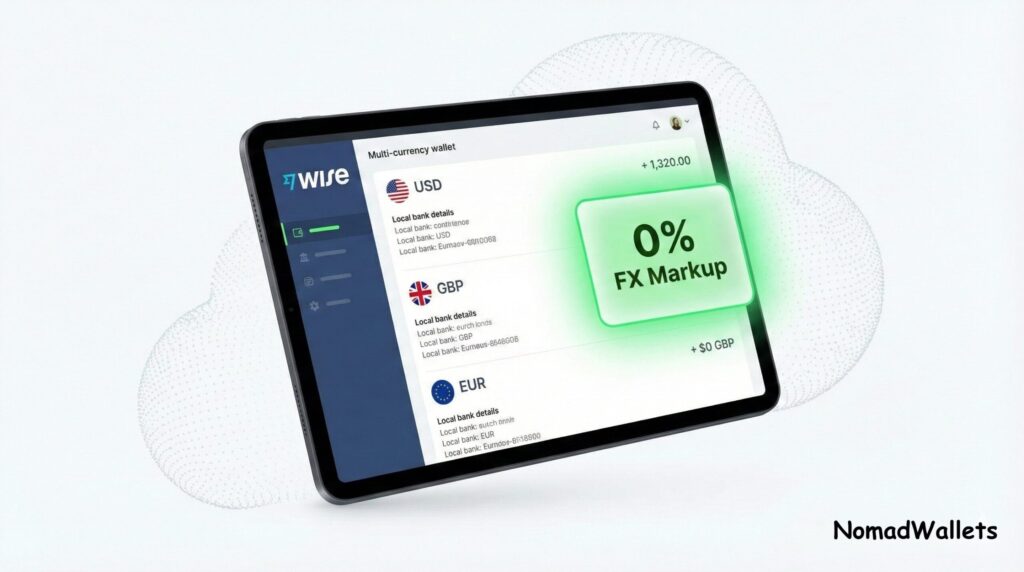
Wise gives you local bank account details in multiple currencies.12
- If you are in the US, you can get a British Sort Code/Account Number (GBP), a European IBAN (EUR), an Australian BSB (AUD), and more.13
- You put these details on your invoice.
- Your client pays you via their local bank transfer (which is usually free for them).
- The money lands in your Wise account in that currency.
👉 This setup is why many freelancers consider Wise the best money transfer service for digital nomads when dealing with international clients.
Multi Currency Accounts Explained
You can hold 50+ currencies in your Wise account. You are not forced to convert them immediately. You can wait for the exchange rate to improve, or use that balance to pay international contractors in their own currency (avoiding conversion fees entirely).
Wise Business Fees & FX Rates
- Receiving Money:
- Free for local bank transfers (ACH, FPS, SEPA).
- $4.14 USD for receiving Wire Transfers (SWIFT).
- FX Rate: Wise uses the Mid Market Rate (0% markup).14
- Conversion Fee: A transparent fee of ~0.43% to 0.6% (depending on currency pair).
Source: Wise Business Pricing 2025 Wise Pricing Page
Wise vs Traditional Bank Transfers
A traditional bank wire costs the sender $30 and the receiver $15, plus takes 3-5 days. Wise transfers usually settle instantly or within 24 hours because they use local payment rails rather than the SWIFT network.
Wise Business Pros and Cons
| Pros | Cons |
| Lowest Fees: ~0.6% vs 5-8% on competitors. | No “Checkout”: Not a credit card processor. |
| True Exchange Rate: No hidden markups. | Manual Process: Client must push the bank transfer. |
| Local Accounts: Look like a local business in 10 countries. | Limited SaaS: No automated recurring billing logic. |
Stripe vs PayPal vs Wise Business (Side by Side Comparison)
This table compares a $2,000 USD equivalent payment from a UK client to a US freelancer.
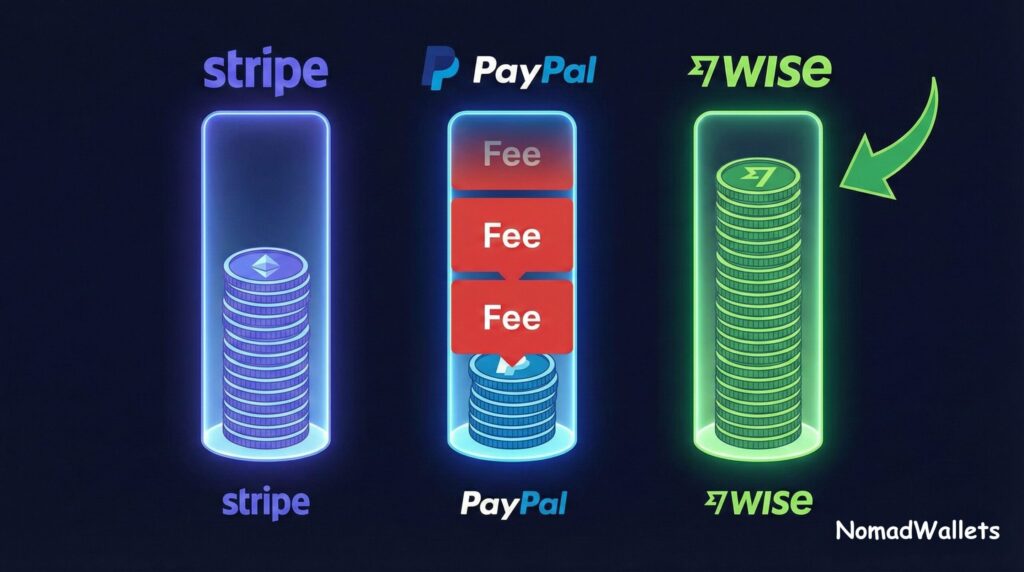
| Feature | Stripe | PayPal | Wise Business |
| Transaction Fee | ~$88 (4.4%) | ~$90 (4.5%) | $0 (Free to receive via UK Sort Code) |
| Fixed Fee | $0.30 | $0.49 | $0 |
| FX Markup | $20 (1.0%) | $70 (3.5% Spread) | $0 (Mid Market Rate) |
| Conversion Fee | Included above | Included in Spread | ~$8.60 (0.43% fee) |
| Total Cost | ~$108.30 | ~$160.49 | ~$8.60 |
| Net Received | $1,891.70 | $1,839.51 | $1,991.40 |
| Settlement Time | 3-7 Days | Instant (Wallet) | Instant to 24 Hours |
| Client Effort | Low (Enter Card) | Lowest (Login) | Medium (Bank Transfer) |
Analysis: On a single $2,000 project, using Wise saves you $100 over Stripe and $150 over PayPal. Over a year (assuming $50k revenue), that is $2,500 to $3,750 in pure profit saved.
If you regularly work with international clients, managing payments is only one part of the digital nomad setup. For a full overview of tools, visas, taxes, and banking, explore our US Digital Nomad Hub.
Best International Client Payment Processing by Use Case
1. Best for Freelancers & Consultants (High Ticket)
Winner: Wise Business
When you are sending invoices for $1,000, $5,000, or $10,000, the percentage fees of Stripe/PayPal are astronomical.
- Strategy: Open a Wise account. Get local bank details for your client’s currency. Put those details on your invoice.
- Why: You cap your costs. Losing 5% of a $50 logo design is fine ($2.50). Losing 5% of a $10,000 dev project is painful ($500).
2. Best for Agencies (Retainers)
Winner: Wise Business (or Go Cardless)
For recurring B2B clients, move them to Direct Debit.
- Strategy: Use Wise to collect manual transfers, or integrate Go Cardless (which often partners with Wise) to pull funds automatically from client bank accounts at low fees (1% capped).
3. Best for SaaS & Subscriptions
Winner: Stripe
You cannot ask a user to manually wire transfer $19/month for software. You need friction free, automated credit card processing.
- Strategy: Absorb the 5% fee as “Cost of Goods Sold” (COGS). Or, use Stripe Tax to calculate and add VAT/GST automatically, ensuring compliance.
4. Best for Low Fee International Transfers
Winner: Wise
If you just need to move money you already have (e.g., paying a VA in the Philippines), Wise is unbeatable.
5. Best for US Based Digital Nomads
Winner: Stripe + Wise Hybrid
- Use Stripe to accept credit cards on your website (convenience).
- Link your Wise USD account as the payout bank in Stripe.
- Why: This keeps your money in a multi currency environment, allowing you to spend it internationally via the Wise Debit Card without converting it back and forth to a traditional US bank.15
Real World Cost Comparison (Example Scenarios)
Let’s look at three distinct scenarios to see how the math plays out in 2026.
Scenario 1: The “Digital Nomad”
Situation: You are a US freelancer in Bali. A client in France pays you €1,000.
- PayPal: Converts €1,000 to USD at a bad rate. You lose ~$80. Then you withdraw to your US bank. Then you use your US bank card in Bali, paying another 3% foreign transaction fee. Total Loss: ~11%.
- Wise: You receive €1,000 into your Wise Euro account (Free). You convert a little to Indonesian Rupiah (IDR) to spend locally (0.5% fee). You hold the rest in Euros. Total Loss: ~0.5%.
Scenario 2: The “Australian Agency”
Situation: An Aussie agency bills a US client $5,000 USD.
- Stripe (Card): Client pays via Amex. Stripe charges ~4.4% ($220) + 2% currency conversion to AUD.16 You receive roughly $4,680 AUD value.
- Wise: You give the client your Wise US Routing Number (ACH). They pay via their bank (free for them). You receive $5,000 USD. You convert to AUD at mid market.17 You receive roughly $4,970 AUD value. Savings: ~$290.
Scenario 3: The “Micro Transaction”
Situation: Selling a $10 PDF Ebook globally.
- Wise: Not viable. Asking someone to do a bank transfer for $10 kills the conversion rate.
- PayPal/Stripe: Essential. The fee is high (percentage + fixed 30 cents = huge chunk), but the volume and ease of sales make up for it.
Common Mistakes in International Client Payment Processing
1. Choosing Convenience Over Cost
It is easy to just tick the “Accept PayPal” box on your invoicing software (FreshBooks, Xero, QuickBooks). While convenient, you are proactively opting into the highest fee structure in the industry.
2. Ignoring FX Markups
Many freelancers see “0% commission” and think it’s free. Always check the Exchange Rate offered against Google. If Google says 1 USD = 0.90 EUR, and your processor offers 1 USD = 0.86 EUR, you are being charged a 4.4% hidden fee.
3. Mixing Personal and Business Accounts
Using a personal PayPal account for business to “avoid fees” is a violation of Terms of Service. In 2026, tax authorities (IRS, HMRC) have direct data feeds from these platforms. You risk having your account permanently banned and funds frozen.
4. Not Planning for Tax Reporting
- USA: If you process over $600 (limit subject to change), Stripe/PayPal will send you a 1099 K form.
- International: You are responsible for VAT/GST compliance in the buyer’s country for digital goods. Stripe has “Stripe Tax” to handle this; Wise does not.
Security, Compliance & Tax Considerations
In international payment processing, trust, regulatory compliance, and accurate tax reporting are essential. The following sections outline how to protect your funds and remain compliant across jurisdictions.
KYC (Know Your Customer) and AML (Anti Money Laundering)
All three platforms are regulated financial institutions. They must verify your identity.
- Preparation: Have your Passport, Business Registration (LLC/Ltd), and Proof of Address ready before you accept your first big payment.
- Trigger: Receiving a sudden large sum (e.g., $10k) on a new account triggers an AML review.
- Tip: If you expect a large payment, contact support beforehand (especially with Stripe) to whitelist the transaction.
👉 These compliance checks also affect how and when income is reported, especially for US based freelancers handling foreign clients. If you are unsure how international payments impact your filings, read our guide on expat tax filing for US digital nomads.
Account Redundancy Strategy
Never rely on a single processor.
We recommend the “2+1 Strategy”:
- Primary: Wise Business (for bank transfers/high value).
- Secondary: Stripe (for credit cards/website).
- Backup: PayPal (kept active just in case).
If Stripe freezes your account (which happens to legitimate businesses), you can immediately switch your invoices to Wise or PayPal without business interruption.
FAQs: International Client Payment Processing
Q1. What is the cheapest way to receive international payments?
A. Wise Business is consistently the cheapest method for B2B transactions. By using local banking rails and mid market exchange rates, fees are typically under 1%, compared to 4-8% for PayPal or Stripe.
Q2. Is Wise better than PayPal for freelancers?
A. For receiving income, yes. Wise saves you significant money.18 However, PayPal offers “Purchase Protection” which some clients prefer, and it is better for selling low cost digital items where bank transfers are too cumbersome.
Q3. Can I use Stripe without a US company?
A. Yes. Stripe supports businesses in over 45 countries.19 However, if you are in a country Stripe doesn’t support, you can use Stripe Atlas to form a US LLC and get a US Stripe account.
Q4. Which platform has the lowest FX fees?
A. Wise. They charge no markup on the rate, only a transparent conversion fee (usually 0.4%-0.6%). PayPal charges a 3-4% spread markup.20 Stripe charges a 1% conversion fee + 1.5% international card fee.21
Q5. Is international client payment processing taxable?
A. Yes. The method of payment does not change the taxability of income. You must report all income to your local tax authority. In the US, platforms are required to report your earnings via Form 1099 K if you exceed reporting thresholds.

Final Verdict Which Platform Should You Choose?
The “best” platform depends entirely on your business model. Here is the expert summary:
- Choose Wise Business IF: You are a freelancer, agency, or consultant invoicing clients for services. The savings on FX and transaction fees are massive, and the ability to have local bank details in the US, UK, EU, and elsewhere makes you look like a global professional.22
- Choose Stripe IF: You run a SaaS, e-commerce store, or subscription business. The API capabilities, automated tax handling, and seamless checkout experience are worth the higher fees to ensure high conversion rates.
- Choose PayPal IF: You are testing a market or dealing with consumers who insist on it. It is an expensive but necessary evil for broad B2C reach.
The Pro Move: Use Wise for your backend banking and high ticket invoices, and Stripe for your frontend website payments.
Sources, Data & Pricing References
The data, pricing figures, and regulatory explanations used in this guide are based on official platform documentation and independent financial publications listed below.
- Stripe Billing: Stripe Subscriptions & Recurring Billing Documentation
- Global Payment Rails: Understanding ACH, SEPA, and SWIFT (Wise Guide)
- Currency Conversion Costs: Investopedia: Understanding the Bid-Ask Spread
- Transaction Cost Analysis: Merchant Maverick: The True Cost of Payment Processing
- Hidden FX Fees: Bloomberg: The Hidden Cost of Cross-Border Payments
- Stripe Official Pricing: Stripe Full Pricing & Fees
- Stripe Domestic Fees: Stripe Payments Pricing
- Stripe International Surcharge: Stripe Pricing (International Cards)
- PayPal Merchant Fees: PayPal Merchant Fees Table
- PayPal Currency Conversion: PayPal User Agreement – Currency Conversion
- Wise Mission: Wise: Money Without Borders
- Wise Business Accounts: Wise Business Multi-Currency Account
- Local Account Details: How to Receive Money with Wise
- Mid-Market Rate: Wise: The Mid-Market Rate Explained
- Stripe Payouts to Wise: Connecting Wise to Stripe (Wise Help Center)
- Stripe Currency Conversion: Stripe Documentation: Currency Conversion
- Wise Pricing Calculator: Wise Transfer Fee Calculator
- Wise vs PayPal Comparison: Wise vs PayPal: The Real Cost
- Stripe Global Availability: Stripe Global: Supported Countries
- PayPal Cross-Border Fees: PayPal Cross-Border Transaction Fees
- Stripe FX Fees: Stripe Pricing Details
- Wise for Freelancers: Wise Business for Freelancers

Hi, I'm Tushar, founder of NomadWallets.com. I created this site after realizing how complicated managing money becomes once you start living and working across multiple countries. Most financial advice online is written for people who never leave their home country, which leaves digital nomads navigating international banking, transfers, taxes, and visas with very little reliable guidance.
NomadWallets exists to provide clear, practical, research-backed financial information for location-independent professionals worldwide. Every article published on this site is researched using official sources, live platform data, and global benchmarks such as World Bank remittance reports. Our research covers international banking, cross-border payments, and financial infrastructure for digital nomads.