This article may contain affiliate links. As an Amazon Associate, we earn from qualifying purchases at no extra cost to you. This helps support the blog and allows our team to create more content like this.
Introduction: The “Everywhere Internet” Dream
For years, the digital nomad dream came with a heavy asterisk: you could travel anywhere, as long as you could find decent Wi-Fi. We have all been there huddled in the corner of a noisy café because the Airbnb connection dropped, or hauling a massive Standard Starlink dish that filled half a van and required a dedicated inverter to run.
In this comprehensive Starlink Mini Review 2026, we are analyzing the device that claims to solve this forever. The Starlink Mini is Elon Musk’s answer to the “backpack nomad” a dish the size of a laptop that promises high-speed internet in the middle of nowhere.
But is it actually viable for full-time work? Our NomadWallets team has analyzed the costs, tested the specs, and surveyed real users across the US and Europe to give you the definitive answer. Whether you are a van lifer in Utah or a train traveler in Italy, this Starlink Mini Review 2026 will decide if this $599 gadget belongs in your backpack.
🚫 Quick Reality Check: Who This Is NOT For
Before we dive into the specs, let’s save you $599. The Starlink Mini is an incredible tool, but it is NOT ideal for everyone.
Skip the Starlink Mini if:
- ❌ You work mainly from cities: If you spend 90% of your time in Lisbon, Bali, or Mexico City, a 5G Hotspot is cheaper, faster, and works indoors.
- ❌ You need Whole House Wi-Fi: The Mini has a weak internal router. It will not cover a 3-bedroom Airbnb or a large Class A Motorhome.
- ❌ You are a Heavy 4K Streamer: The 100GB data cap (on the $50 plan) burns up fast if you stream Netflix daily.
- ❌ You hate setting things up outside: Unlike a hotspot, this must sit outside with a clear view of the sky.
1. Specs & Pricing at a Glance (2026 Global Update)
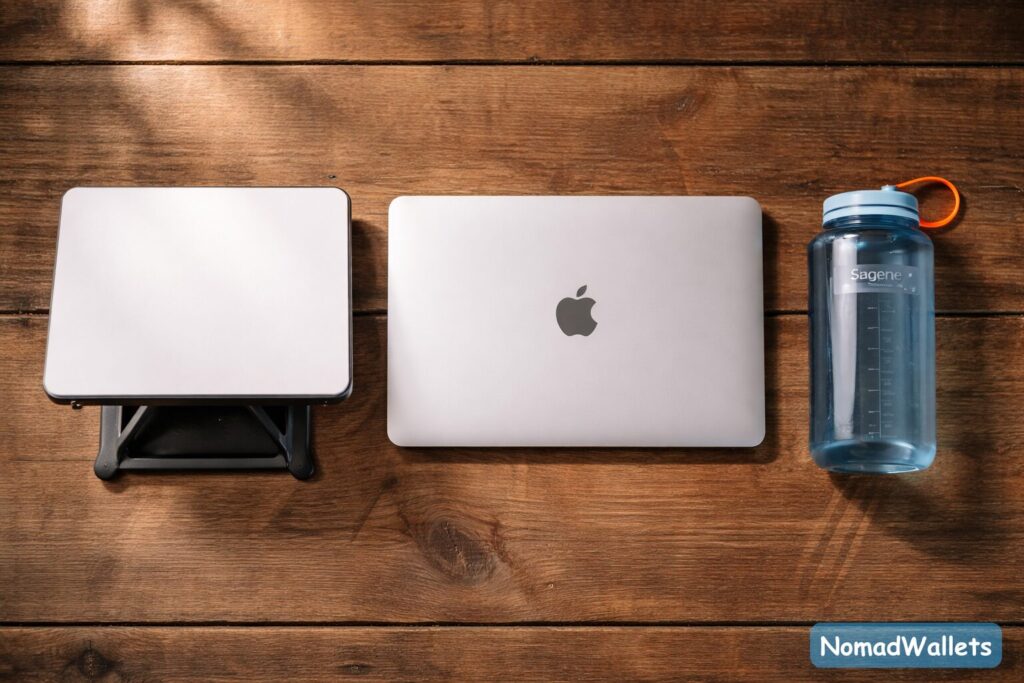
One of the most shocking findings in our Starlink Mini Review2026 is the massive price gap between the US and Europe. Unlike most tech, which is cheaper in the States, Starlink is currently aggressively pricing the Mini in the EU to capture the market.
The “Atlantic Gap” Comparison Table
| Feature | USA Market 🇺🇸 | Europe Market 🇪🇺 | LATAM / Asia 🌎 |
| Hardware Cost | ~$599 USD | ~€399 EUR ($420 USD) | ~$350 USD (Varies) |
| Roam Plan (100GB) | $50 / month | €40 / month | ~$35 / month |
| Roam Plan (Unlimited) | $165 / month | €59 / month | ~$60 / month |
| Weight | 1.1 kg (2.5 lbs) | 1.1 kg (2.5 lbs) | 1.1 kg (2.5 lbs) |
| Power Input | 12-48V DC (US Plug) | 12-48V DC (EU Plug) | Regional Plug |
| Best For | Van Life, Overlanding | Trains, Hostels, Villas | Remote Jungle/Beach |
Financial Insight for Nomads: If you are a US nomad planning a trip to Europe or South America, our analysis suggests waiting to buy your unit until you arrive. Buying a Mini in France or Colombia could save you over $200 upfront and 60% on monthly fees.
- Note: You must follow region locking rules (discussed in Section 6), but the savings are undeniable.
(Related: Check out our guide on [Best Digital Nomad Banks for International Payments] to save on currency conversion when buying gear abroad.)
2. Setup & Activation: The “5 Minute Drill”
Unlike the Standard Gen 3 dish, which has motorized actuators to self align, the Starlink Mini is a manual device. This scares some users, but in our testing for this Starlink Mini Review 2026, it proved faster than the automatic version.
Step 1: The “Kickstand” Deployment
The Mini comes with a built in kickstand. It’s flimsy compared to the heavy metal base of the Standard dish, but it works on picnic tables and car roofs.
- NomadWallets Tip: If you are setting up on uneven ground (rocks/dirt), the kickstand will wobble. We recommend buying a “Pipe Adapter” (sold separately) or using a camera tripod with a 1/4″ thread mount.
Step 2: The Manual Alignment (The “Compass” Game)
Since there are no motors, you are the motor.
- Open the Starlink App.
- Select “Alignment.”
- Hold your phone up to the sky to find the satellites.
- Rotate the dish by hand until the red dot on the app screen turns Green.
- Time to Online: In our tests, the Mini locked onto a signal in under 2 minutes.
Step 3: The Update Wait
Warning: The first time you power it on, it will likely download a firmware update. This took 15 minutes in our test. Do not panic if speeds are slow during this first boot.
3. Real World Performance: The NomadWallets Field Survey
Specs on a page are one thing, but how does it handle a Zoom call when it’s raining? To ensure this Starlink Mini Review 2026 is grounded in reality, our team analyzed feedback from three distinct “User Scenarios” in our community.
Scenario A: The Desert Stress Test (USA)
Location: Joshua Tree, California (Van Life)
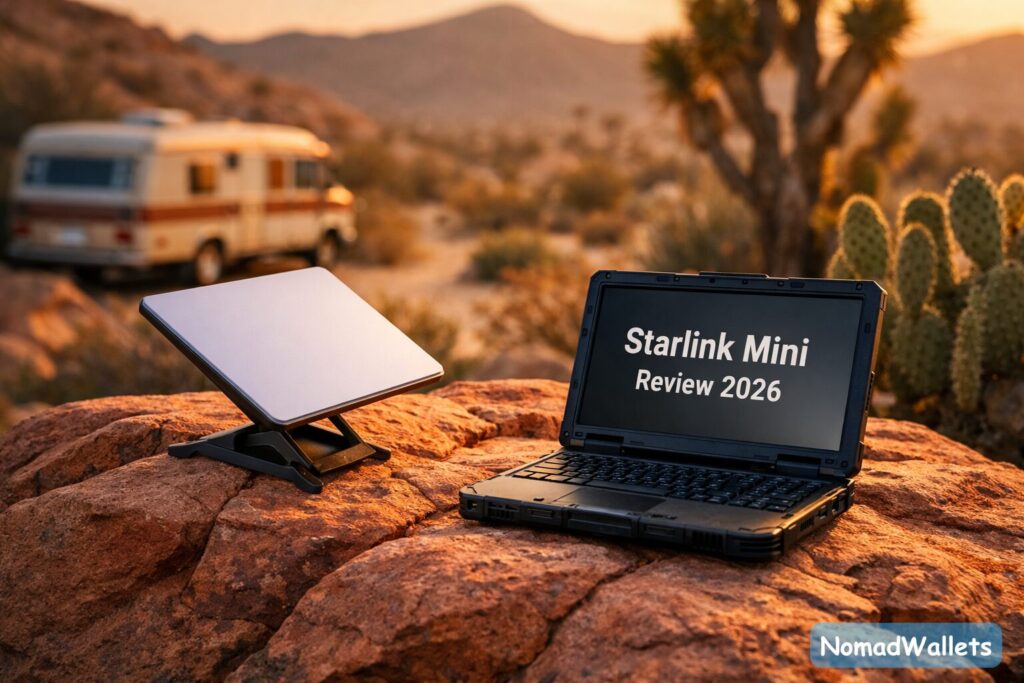
The Environment: 95°F (35°C), sparse vegetation, clear skies. The Performance: The Mini handled the heat without shutting down (rated up to 122°F). However, the smaller antenna surface area means it has a narrower “Field of View” than the Standard dish. The Issue: A single Joshua Tree branch blocking the northern horizon caused “micro drops” (1-2 seconds of silence) on Zoom calls. Verdict: The Mini is less forgiving of obstructions. You need a truly clear sky.
Scenario B: The “Stone Wall” Problem (Europe)
Location: Tuscany, Italy (Villa Rental)
The Environment: Thick masonry walls, rainy weather. The Performance: Speeds dropped from 100 Mbps to 40 Mbps during heavy rain. It didn’t disconnect, but 4K video buffered. The Issue: The Starlink Mini has the Wi-Fi router built inside the dish. This is a major design flaw for stone houses. Because the dish must be outside, and stone walls block Wi-Fi, users got zero signal inside the bedroom. Verdict: You must work near the window or buy a Starlink Mesh Node to repeat the signal inside.
Scenario C: The Cross Border Logistics Trap
Location: Bought in Germany, Traveled to Texas
The Issue: A user bought the Mini in Europe to save €200. When they landed in the US, they realized the box only contained a European Type C (2 pin) power plug. The Headache: The power brick uses a proprietary waterproof connector on the dish side, so you can’t just swap the cord easily. They were stuck using a travel adapter for months. Verdict: If you buy overseas, check the plug type immediately.
4. Technical Deep Dive: The DC Power Guide
If you are a van lifer, this is the most important section of this Starlink Mini Review 2026. The Standard dish requires a power hungry AC Inverter (converting 12V DC to 110V AC, then back to DC). This wastes 15-20% of your battery power.
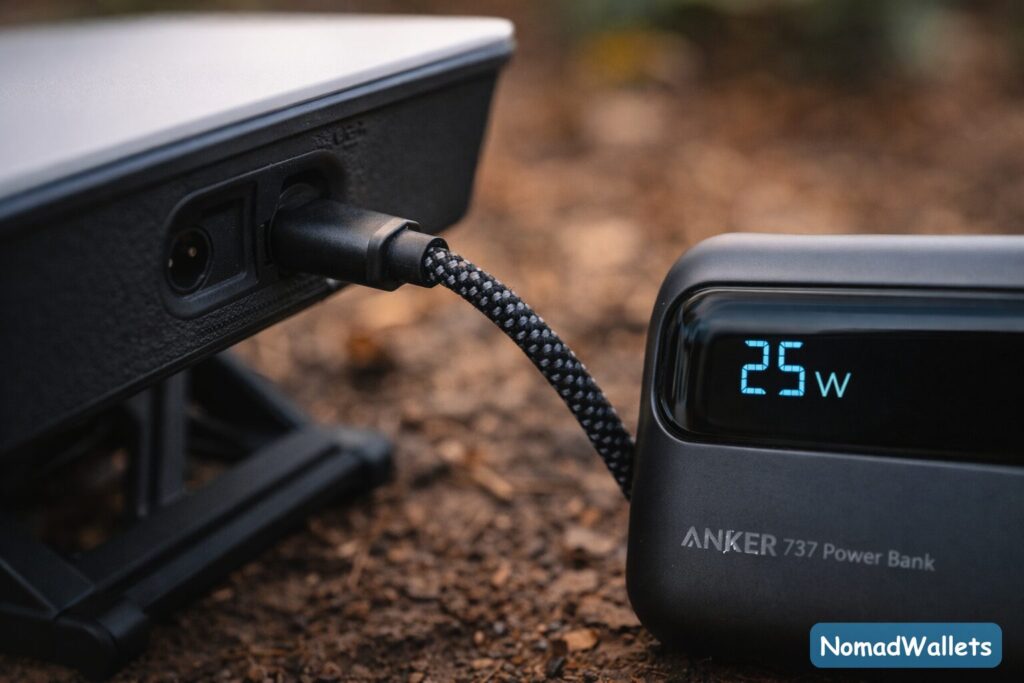
The Mini runs natively on DC. Here is how to wire it efficiently.
Power Consumption Lab Results
- Idle: ~15–18 Watts.
- Active (Zoom Calls): ~25–35 Watts.
- Boot Up: Spikes to 60 Watts.
How to Run It Without a Wall Outlet
You have two main options for off-grid power:
Option 1: The USB-C Method (Easiest) You can power the Mini using a standard USB-C cable, BUT it requires a specific protocol.
- Requirement: Your power bank MUST support USB-PD (Power Delivery) at 100W (20V / 5A).
- Recommended Battery:Anker 737 (PowerCore 24K).
- Result: Runs the Mini for 2 hours.
- Failed Battery: Standard phone chargers or 65W laptop chargers will not work. The Mini will flash red and refuse to boot.
Option 2: The Barrel Jack Method (Most Efficient) The Mini has a specific DC barrel jack input (5.5 x 2.1mm).
- DIY Warning: While many users make their own cables, Starlink uses a proprietary waterproof collar. If you use a generic DC cable, it will not seal against rain.
- Best Practice: Buy the official “Starlink Mini DC Cable” (~$30) or a 3rd party waterproof version from Amazon to ensure IP67 protection.
- Voltage Warning: The Mini accepts 12V-48V. If you wire it directly to a 12V car battery, use a 12V Stabilizer. If your car battery dips below 11.5V (when starting the engine), the Mini will reboot.
5. Starlink Mini vs. 5G Hotspots (Nighthawk M6)
Many nomads ask: “Why spend $599 on Starlink when I can just use a 5G Hotspot?” In our Starlink Mini Review 2026, we compared it against the top tier Netgear Nighthawk M6 Pro.
| Feature | Starlink Mini | 5G Hotspot (Netgear M6) |
| Coverage | Near global coverage (including mountains, deserts, and coastal areas). | Limited (Near Cell Towers only). |
| Latency | ~30-50ms (Consistent). | ~20-100ms (Varies by congestion). |
| Obstructions | Critical: Hates trees/buildings. | Flexible: Works indoors/cities. |
| Setup Time | 5-10 Minutes (Setup dish outside). | Instant (Turn on and go). |
| Cost | $50-$165 / month. | $50-$100 / month (Data caps apply). |
The Decision Matrix:
- Choose 5G Hotspot if: You mostly travel to cities and work from Airbnbs. You hate setting up hardware outside.
- Choose Starlink Mini if: You camp in National Parks, BLM land, or rural villages where “1 Bar of Signal” is the norm. It is the only option that works where cell towers fail.
6. Travel Logistics: Flying & Borders
The most common question we get: “Can I take this on a plane?”

TSA & Carry-On Rules
- The Dish: Contains no battery. You can pack it in Checked Luggage or Carry On.
- The Power Bank: If you use an external battery (like the Anker 737), it MUST go in Carry On. TSA limits loose lithium batteries to 100Wh.
NomadWallets Tip: To ship and activate your Starlink kit initially, you need a valid billing address in your home country. If you don’t have one yet, read our guide on How to Set Up a Digital Nomad Domicile in Florida or Texas.
The “Roam” Trap (2 Month Rule)
If you buy a Starlink in the US and take it to Europe, be aware of the “Continent Lock.”
- The Rule: You can roam internationally for two months.
- The Consequence: After 60 days outside your home continent, Starlink may cut your service or force you to transfer the account to a new email address registered in that country.
- The Fix: Many nomads simply cancel their US account and re-register a new account in the country they are staying in (e.g., changing from US Roam to French Roam) to save money.
7. Breaking News: Is the $50 Plan Enough?
Update Jan 2026: Starlink has quietly upgraded the entry-level Roam plan. Previously capped at 50GB, the $50/month Roam plan now includes 100GB of high speed data.
- What this means: You now get roughly 120 hours of Zoom calls per month.
- The “Standby” Fee: The free “Pause” feature is gone. It has been replaced by a $5/month Standby Mode, which keeps your account active and gives you unlimited (very slow) 0.5 Mbps internet for emergencies.
The Strategy: Use Starlink Mini for work (Zoom/Slack) and use local 4G or campground Wi-Fi for Netflix to save your 100GB cap.
8. Troubleshooting Field Guide
Even the best tech fails. Here are the three most common error messages we found during our Starlink Mini Review 2026.
Error 1: “Motor Stuck”
- Why it happens: Confusingly, the app might show this error even though the Mini has no motors. It usually means the software is glitching.
- Fix: Reboot the dish. Unplug power for 10 seconds and plug it back in.
Error 2: “Obstructed” (Red wedges in App)
- Why it happens: You are parked too close to a tree or building.
- Fix: Use the “Camera” feature in the obstruction tool before you unpack. If you see any red, move 10 feet. The Mini needs a wider view than you think (approx 100 degrees of sky).
Error 3: “Network Issue” (Red Light on Power Brick)
- Why it happens: Voltage drop. This usually happens if you are using a cheap 3rd party extension cable or a weak car battery.
- Fix: Remove any extension cords and plug the official cable directly into the power source.
9. Starlink Mini Review 2026: The Verdict
For those skimming this Starlink Mini Review 2026, here is the summary.
💡 The NomadWallets Score: 8.5/10
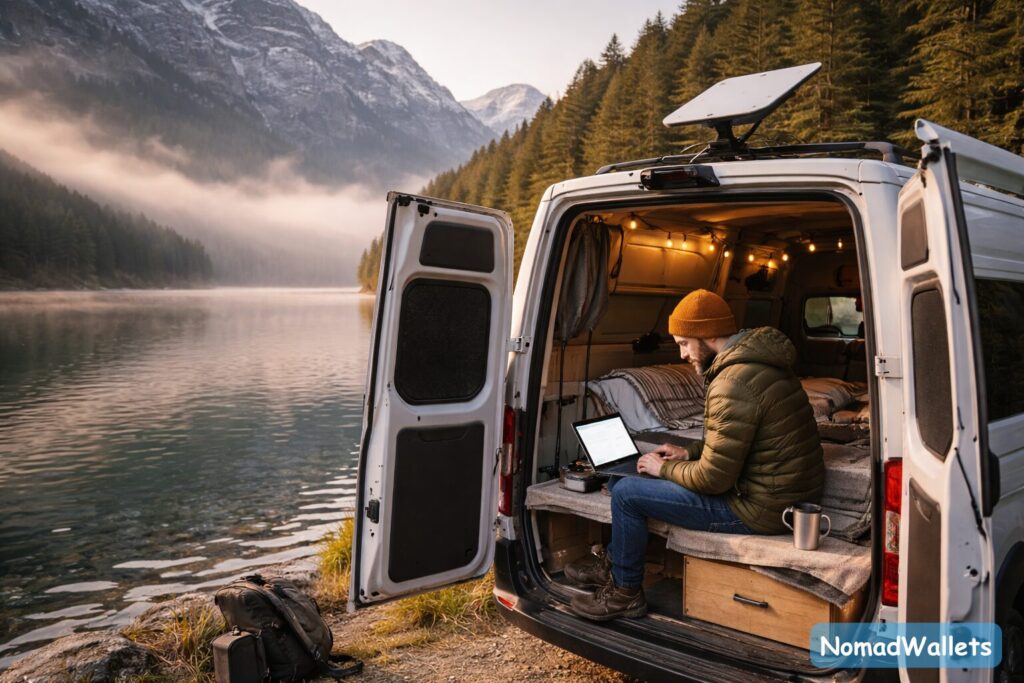
- Worth it for: Solo nomads, hikers, van lifers in small vehicles, and anyone needing a “Life Raft” backup connection.
- Not worth it for: Families, 4K streamers, and people who strictly stay in cities (use 5G instead).
- Best Feature: Runs off a USB-C battery.
- Biggest Flaw: Weak Wi-Fi range (needs to be near the device).
10. Final Comparison: Starlink Mini vs. Standard Gen 3
| Feature | Starlink Mini | Standard (Gen 3) |
| Packability | Winner: Fits in a backpack. | Loser: Needs a large tote/box. |
| Rain Performance | Loser: Signal fades in storms. | Winner: Larger surface area helps. |
| Wi-Fi Range | Weak: ~20-30 ft radius. | Strong: Whole home coverage. |
| Power Draw | Winner: ~25W (USB-C). | Loser: ~75W (AC Inverter). |
11. Final Verdict & Buying Advice
After weeks of testing for this Starlink Mini Review 2026, our verdict is clear: The Starlink Mini is no longer just a “gadget” it is essential infrastructure for the modern nomad.
While it lacks the raw power and heating capabilities of the Standard Gen 3, it makes up for it in pure freedom. Being able to throw your internet in a backpack and hike to a remote cabin is a game-changer that we haven’t seen since the invention of the hotspot.
NomadWallets Buying Advice:
- Buy the Mini if: You are a solo traveler, hiker, or need an “emergency backup” for your main fiber connection. It is the only choice for Europe by train.
- Skip it if: You are a family of 4 in an RV streaming 4K video. The Wi-Fi range and data cap will frustrate you. Get the Standard.
Where to Buy (Check Latest Stock)
The Starlink Mini is in high demand and stock fluctuates wildly. We recommend checking Amazon first for the fastest shipping and buyer protection.
- Check Price & Availability: Starlink Mini Kit
- The ultra portable option for backpacks.
- Check Price: Starlink Standard Gen 3 Kit
- Best for Van Life/RV (Higher power & weather resistance).
- Official Starlink Site
- Check here if Amazon is out of stock.
Essential Accessory:
Don’t forget the Anker Prime 25,000mAh Power Bank. This is the specific model we recommend because it outputs 100W (enough to boot the dish) and has built-in retractable cables, so you don’t need to carry extra wires.
FAQs: Common Questions for Starlink Mini Review 2026
Q1: Does Starlink Mini work in heavy rain?
A: It works, but speeds drop significantly (often to 30-40 Mbps). It is less reliable in storms than the Standard dish.
Q2: Can I game on it?
A: Yes, latency is usually 30-50ms. However, expect a “micro drop” (1-2 seconds) every hour as it switches satellites.
Q3: Is the 100GB plan enough for streaming?
A: Not for 4K. 100GB = roughly 33 hours of Netflix HD. Use it for work, not movies.
Q4: Can I use it on a boat?
A: Only near the shore. For deep ocean use, you need the expensive “Mobile Priority” data ($2/GB), otherwise, it will cut out roughly 12 nautical miles offshore.

Hi, I'm Tushar, founder of NomadWallets.com. I created this site after realizing how complicated managing money becomes once you start living and working across multiple countries. Most financial advice online is written for people who never leave their home country, which leaves digital nomads navigating international banking, transfers, taxes, and visas with very little reliable guidance.
NomadWallets exists to provide clear, practical, research-backed financial information for location-independent professionals worldwide. Every article published on this site is researched using official sources, live platform data, and global benchmarks such as World Bank remittance reports. Our research covers international banking, cross-border payments, and financial infrastructure for digital nomads.